Customizable templates
Choose an active presentation suited to your catalog.

Customize your store, add products and manage orders and customers in one place. Choose a plan that fits your budget.
One click to start, followed by a guided 4-step setup. View pricing
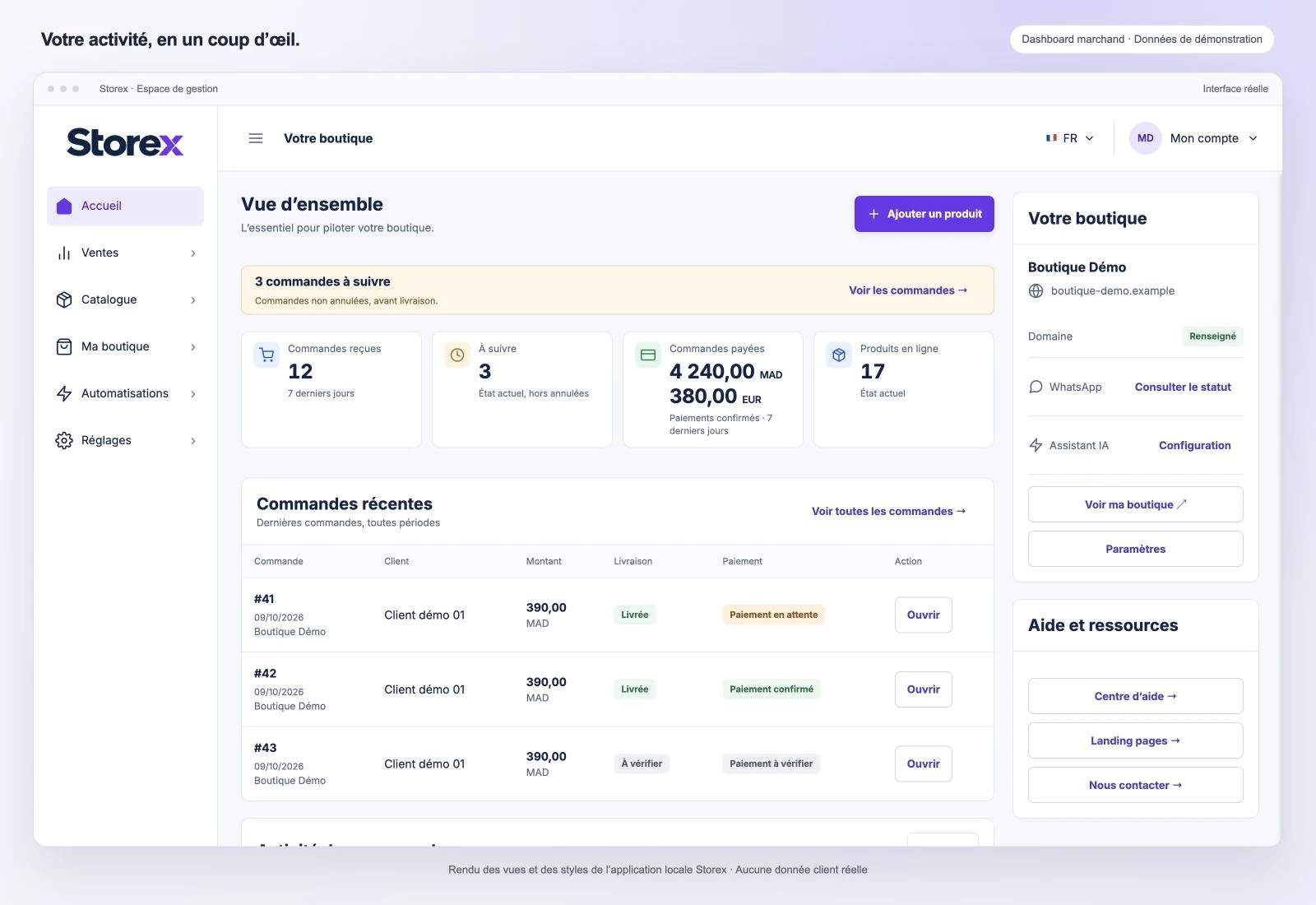 Enlarge preview
Select a question to see the answer.
Your trial lasts 7 days from activation, after your email address has been verified.
The trial is free. No bank transfer or automatic debit is needed to activate it.
Once it expires, choose a paid plan to continue managing your store. Payment is manual and verified by Storex; no paid subscription is activated automatically.
Account, verification, plan and store setup: move step by step before preparing your first sales.
Enter the information required to get started.
Complete the requested verification to continue setup.
Select the pack suited to your needs.
Add its identity, domain and presentation.
Choose a presentation that highlights your products and find your business management in the same workspace.
Learn moreChoose an active presentation suited to your catalog.
Apply a palette consistent with your brand.
Choose your store address according to your plan. A custom domain must be verified before activation.
Present your store in French, English or Arabic, with a layout adapted to your customers’ reading direction.
Create your ecommerce site, then manage the operations that keep it running every day.
Create a storefront that reflects your brand and manage your store in one place.
Create clear product listings with photos, prices and variants. Keep your catalog ready to sell.
Find each order, its customer and its processing status in one place.
Keep contact details and useful orders together to follow up with customers.
A planned feature to analyze product content and suggest improvements. Availability will depend on the offer and store activation.
Spot missing or unclear information.
Prepare more complete and useful descriptions.
Suggest frequent questions and useful search content.
These measures accompany the platform’s workflows. They help manage access and submitted information, while your own vigilance remains important.
Learn moreInformation submitted through sensitive forms is checked before it is accepted. These checks help identify missing or inconsistent data.
Critical public forms limit repeated submissions. This helps reduce abusive requests in the affected workflows.
Public workflows use protections that connect submissions to the current session. If a session expires, you may need to restart the form.
Start free and follow the guided four-step setup.